OpenClaw Hosted in DigitalOcean, Operated through Telegram
I have OpenClaw running on a headless server. A $12/month DigitalOcean droplet. No screen, no keyboard. Just a small machine in the cloud with my Google Drive mounted on it, running an AI agent that my wife and I message through Telegram every day.
If you’ve seen OpenClaw floating around lately, you know what it is: an open source gateway that connects Claude to messaging platforms like Telegram and WhatsApp. What you might not know is what it feels like to live with it. That’s what this post is about.
🔧 The setup
OpenClaw sits on the server and connects to Claude Code, which is the AI doing the actual thinking. My Google Drive is mounted on the same server using rclone, so the agent has direct access to all my files. Everything is organized into a simple folder system: active projects, ongoing life areas, reference material, and an archive. The agent reads all of it. Every conversation builds on the last one.
I wrote about the idea behind this in Compounding Context and the philosophy in AI as a Coach. This post is the practical sequel: what it looks like now that it’s running.
💬 Telegram as the interface
This is the part that changed everything for me. I created a Telegram bot and connected it to OpenClaw. Now I have two conversations going:
- A private chat between me and the agent
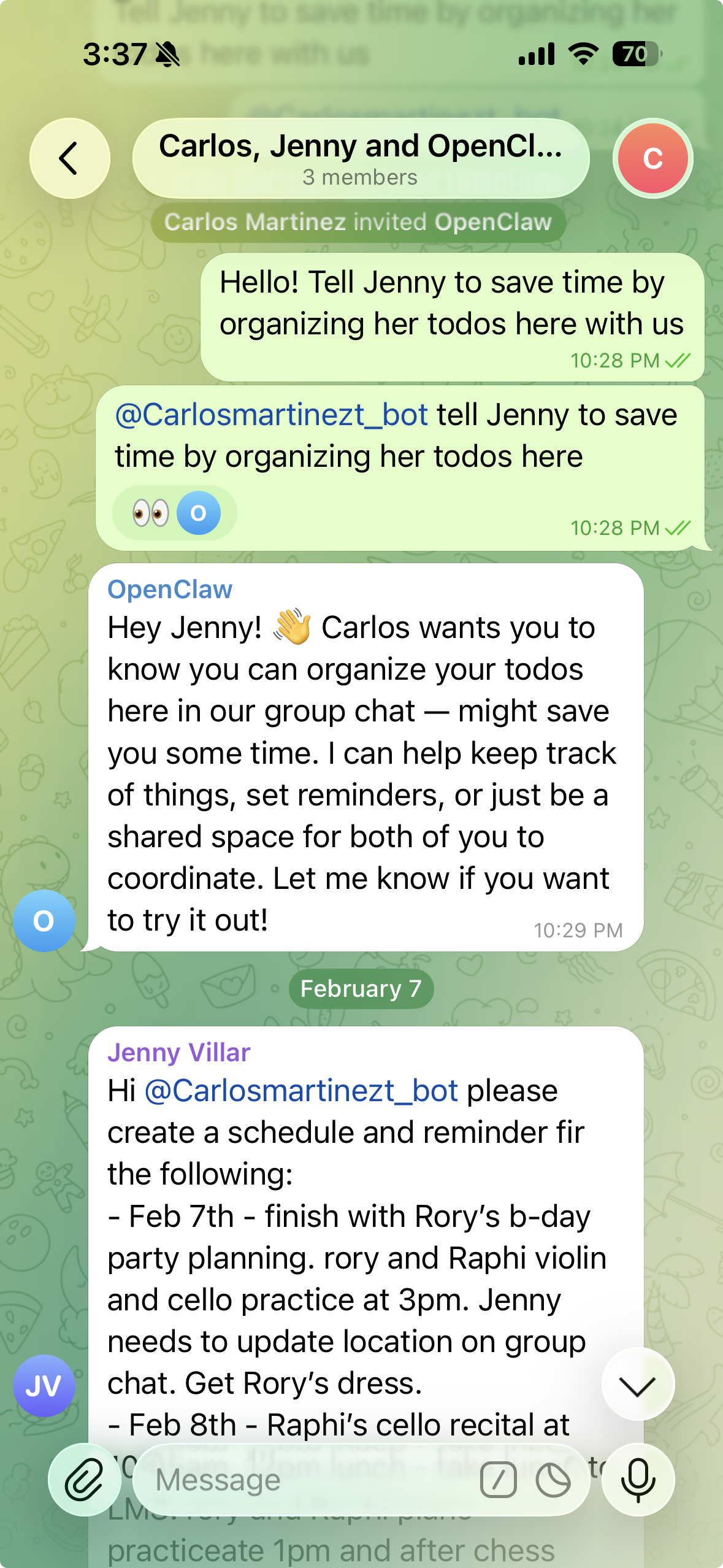
- A group chat with Jenny (my wife), the agent, and me
The agent recognizes each of us as separate users. It knows when Jenny is writing and when I am writing. That makes it a shared tool without being confusing. Jenny can ask it to plan meals while I’m asking it to track flights, and it keeps everything straight.
🧪 How we use it
Finding flights for my dad. I asked the agent to search for flights under $600 for my dad. But instead of a single search, I set it to check every 6 hours for the next few days. It will report back when it finds something that matches. I don’t have to think about it anymore.
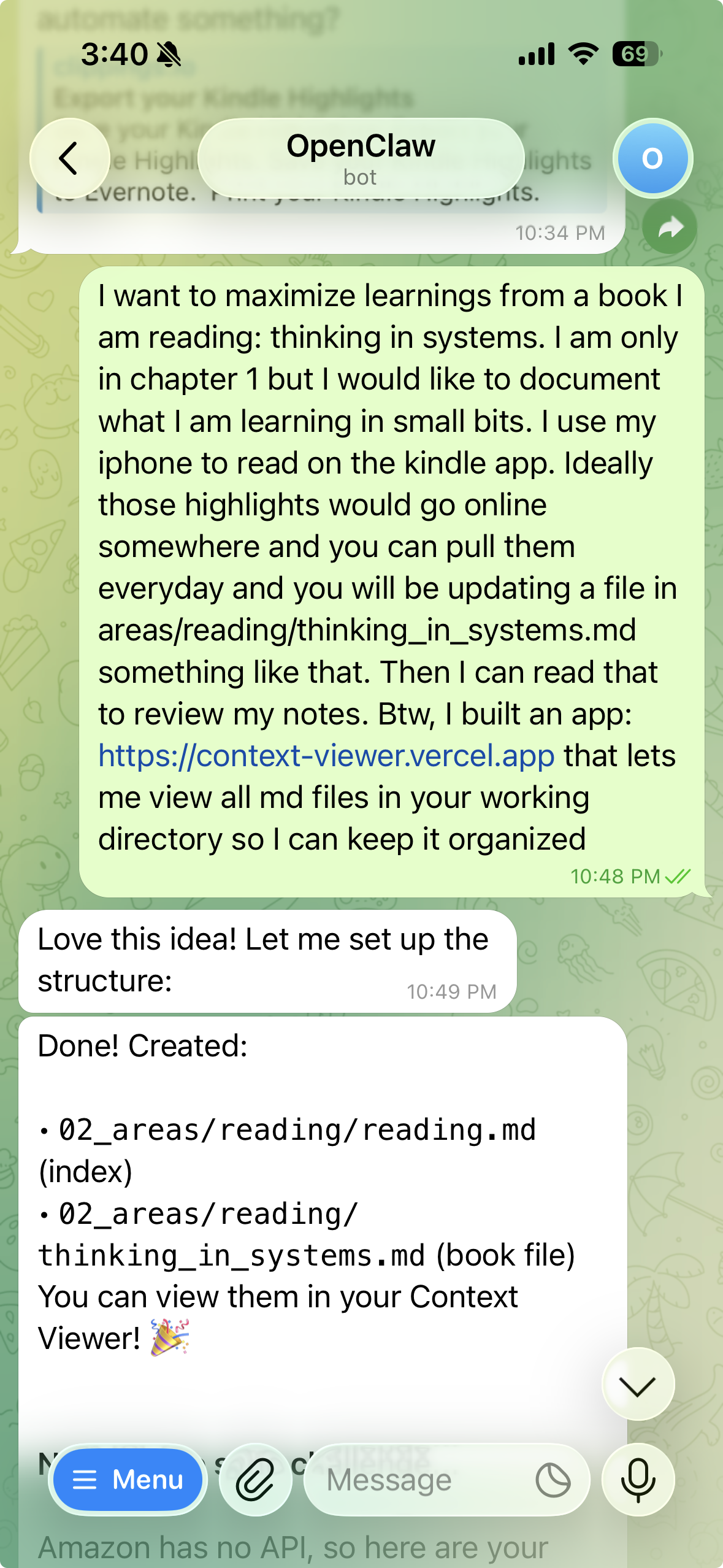
Reading partner. Yesterday I was reading Thinking in Systems by Donella Meadows. I had my Kindle in one hand and Telegram open on my phone. Every time I hit a passage that made me think, I copied the highlight and sent it to the agent. By the time I was done, it had created a file called thinking_in_systems.md in my reading folder. Organized highlights, summaries, key concepts rephrased in a way that clicked for me. That file is mine forever. And the next time I bring up systems thinking, the agent already knows what resonated with me.
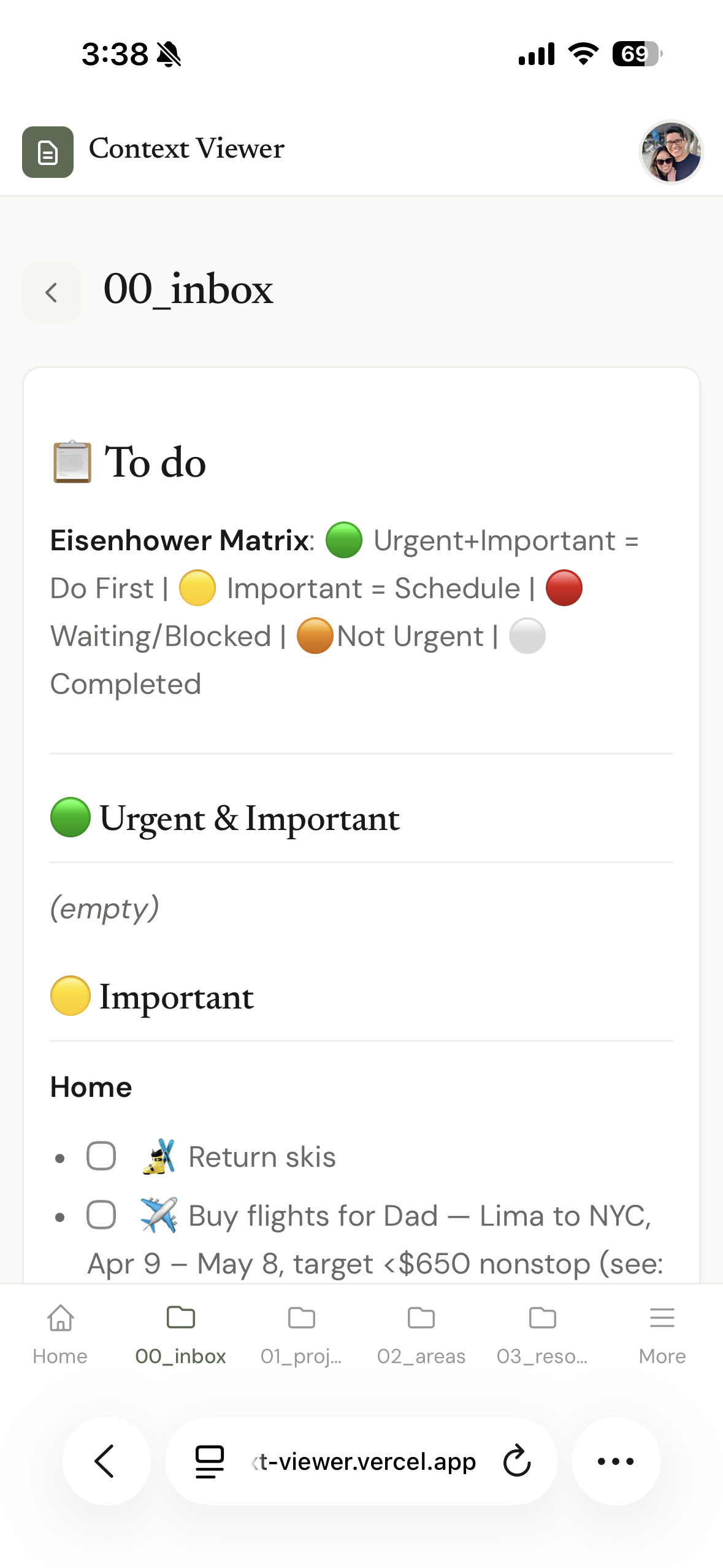
To-dos and projects. The agent manages our tasks, tracks what’s in progress, and helps us figure out priorities. This is the least exciting use case but probably the most consistent one.
Jenny’s side of this
I set everything up, and Jenny is starting to use it. Honestly, I’m still figuring out how to make it more useful for her. My hope is that as the agent becomes more helpful with everyday things like meals and groceries, she’ll see the benefit naturally. It’s still early.
🗂️ The system behind it
Everything is organized using a method called PARA by Tiago Forte. It’s simple: four folders.
- Projects: active stuff with a clear end
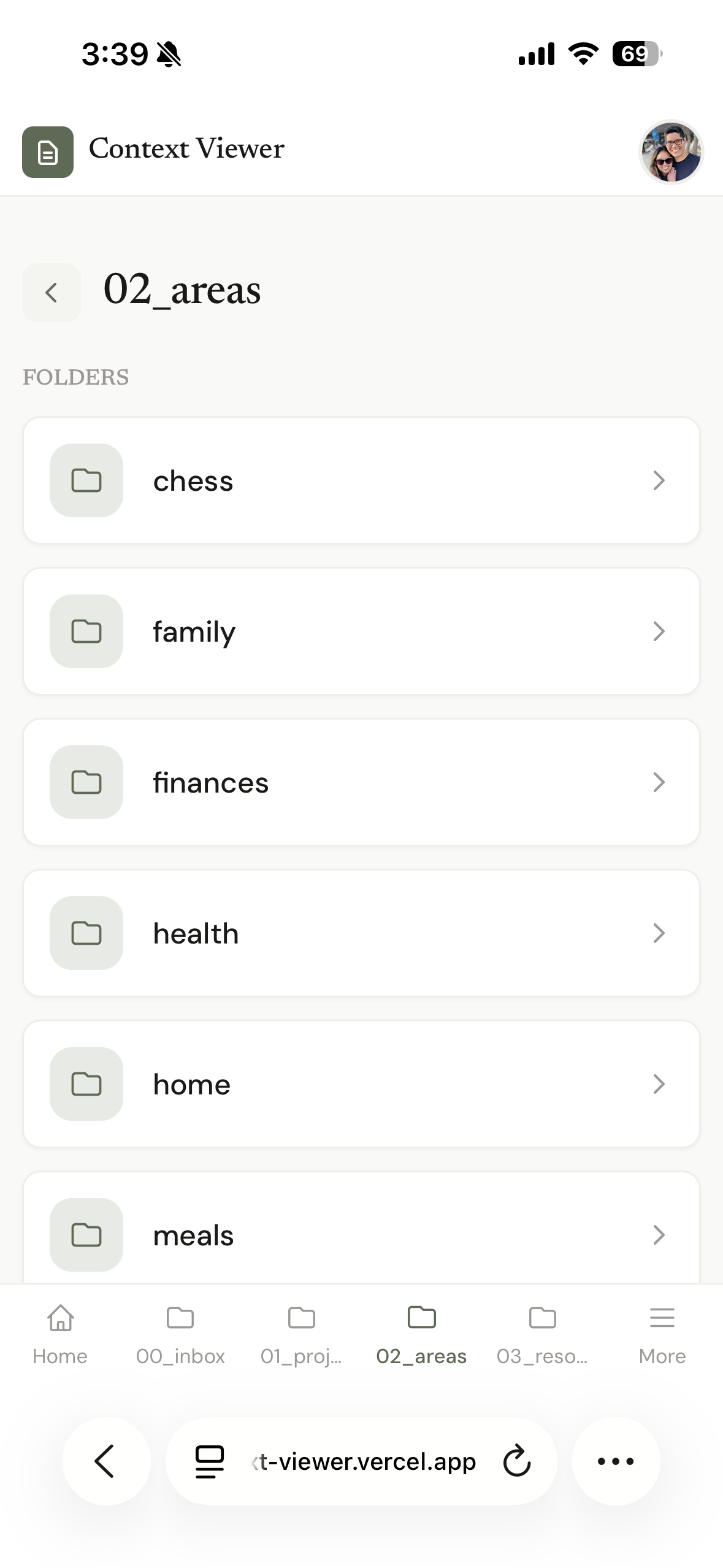
- Areas: ongoing responsibilities (health, finances, family)
- Resources: reference material worth keeping
- Archives: anything that’s done
This lives in Google Drive. The agent reads from it and writes to it. So when I send book highlights, they land in Areas > Reading. When a project wraps up, it moves to Archives. The structure gives the agent enough context to be genuinely useful without me having to explain everything from scratch.
👁️ Context Viewer
I built a small web app that lets me browse all these markdown files visually. I use it every day to review what the agent knows about me, my projects, my goals. If something looks off or outdated, I ask the agent to update it. Think of it as a dashboard for your own context. It’s how I stay in the loop on what the system “remembers” and make sure it stays accurate.
🧱 The full stack
For anyone who wants to build something similar:
- DigitalOcean Droplet ($12/month): the headless server running everything
- OpenClaw: the gateway connecting Claude to Telegram
- Claude Code: the AI model running on the droplet
- Google Drive + rclone: file system mounted on the server so the agent has direct access
- Tailscale: secure networking so I can access the server from anywhere without exposing it to the internet
- Telegram: the daily interface for me and Jenny
- Context Viewer: a small Next.js app on Vercel for browsing my files
The server costs $12/month. The biggest expense is the Claude API, which I’m currently paying about $200/month for while I get everything set up. I expect to bring that down to $100, and eventually closer to $20 as I optimize usage and the cost of AI continues to drop. It’s an upfront investment to build something that keeps getting more useful over time.
🔮 What’s next
We’re still discovering use cases. The system is flexible and open ended, which means the best ideas tend to come from just using it. The flight search was something I thought of on a whim. The reading partner happened because I had my phone out while reading.